Clock-ins, rosters, hours and tips. All in one.
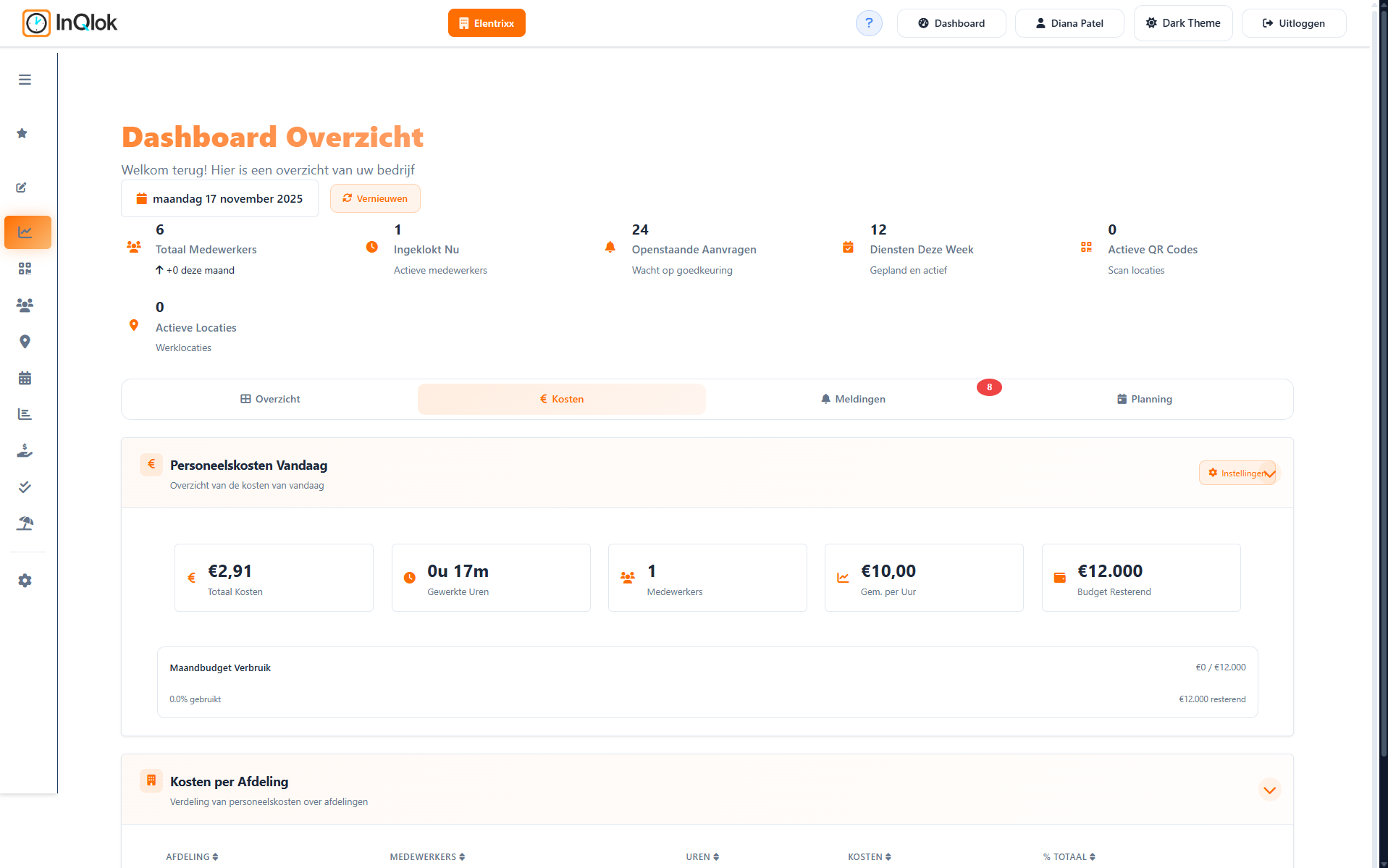
InQlok handles the entire staffing process for hospitality and businesses with hourly staff: employees clock in with a QR code while you plan rosters, approve hours, distribute tips and manage leave — no spreadsheets required.
30 days free · No credit card required · Cancel monthly
Built for businesses with hourly staff
InQlok was built for Dutch hospitality, but fits any business where employees work by the hour, rosters change weekly and tips or allowances need to be shared out.
Restaurants & bistros
Rotating shifts, shared tip jars and busy weekend peaks.
- Distribute tips automatically based on hours worked
- Rosters per department: kitchen, service, bar
- Opener and closer checks for every day
Bars, cafés & clubs
Late closing times and lots of part-timers and on-call staff.
- Plan shifts that run past midnight
- Open shifts your team can sign up for
- QR clock-in: no shared passwords
Hotels & B&Bs
Multiple departments, each with its own staffing and rules.
- Departments and roles with their own colours
- Hours overview with plus/minus and time-for-time (TVT) balances
- Reports for your payroll administration
Beach & seasonal businesses
Scale up fast for the season and wind down neatly after.
- Invite employees and have them clocking in right away
- Reuse weekly rosters as templates
- Labour costs per day and per week at a glance
Bakeries, shops & retail
Early shifts, fixed contracts and tight time tracking.
- Rounding rules for clocking in and out
- Monitor contract hours versus scheduled hours
- Track leave balances in line with the collective labour agreement (CAO)
Multiple locations
One administration for all your venues and sites.
- Multi-branch mode with quick branch switching
- Transfer employees between branches
- QR codes and settings per location
Six modules, one overview
Every module has its own page with details and screenshots. Click through for the full story.
QR Clock-in
Employees scan a QR code to clock in and out, log their breaks and see their hours worked in real time.
View featureRoster Planning
Weekly rosters per department with open shifts, templates, conflict detection and publishing to the whole team.
View featureTime Tracking
Approve clock-outs and corrections, monitor plus/minus and time-for-time (TVT) balances and export reports to Excel, CSV and PDF.
View featureTip Distribution
Share tips fairly based on hours worked with a four-step wizard, complete with analytics and an archive.
View featureLeave & Absence
CAO-aware leave accrual, requests and approvals, sick reporting and balances that always add up.
View featureTeam & Administration
Invite employees, set roles and permissions, manage locations and QR codes and connect multiple branches.
View featureLive in three steps
The built-in quick-start guide walks you through it. Most businesses are fully up and running on InQlok within a day.
Set up your business
Enter your company details, pick your CAO sector and configure departments, roles and break and rounding rules.
Create locations & QR codes
Add your locations, generate QR codes and put them up on the wall or show them on a screen via a display link.
Invite your team
Employees receive an invitation, install the app on their phone and clock in that very same day.
The details that make the difference
An app on every phone
InQlok is a web app (PWA) that employees install on iOS and Android — no app store needed.
Push notifications
Decide per event who gets notified, from approvals to roster changes.
Roles & permissions
Define exactly what each manager can do: approve hours, create QR codes, export and more.
Integrations
Send approved hours to Employes.nl or Nmbrs, import your schedules from L1NDA and pull in reservations from ORBIT4 — or have us build the integration with your own package.
Light & dark theme
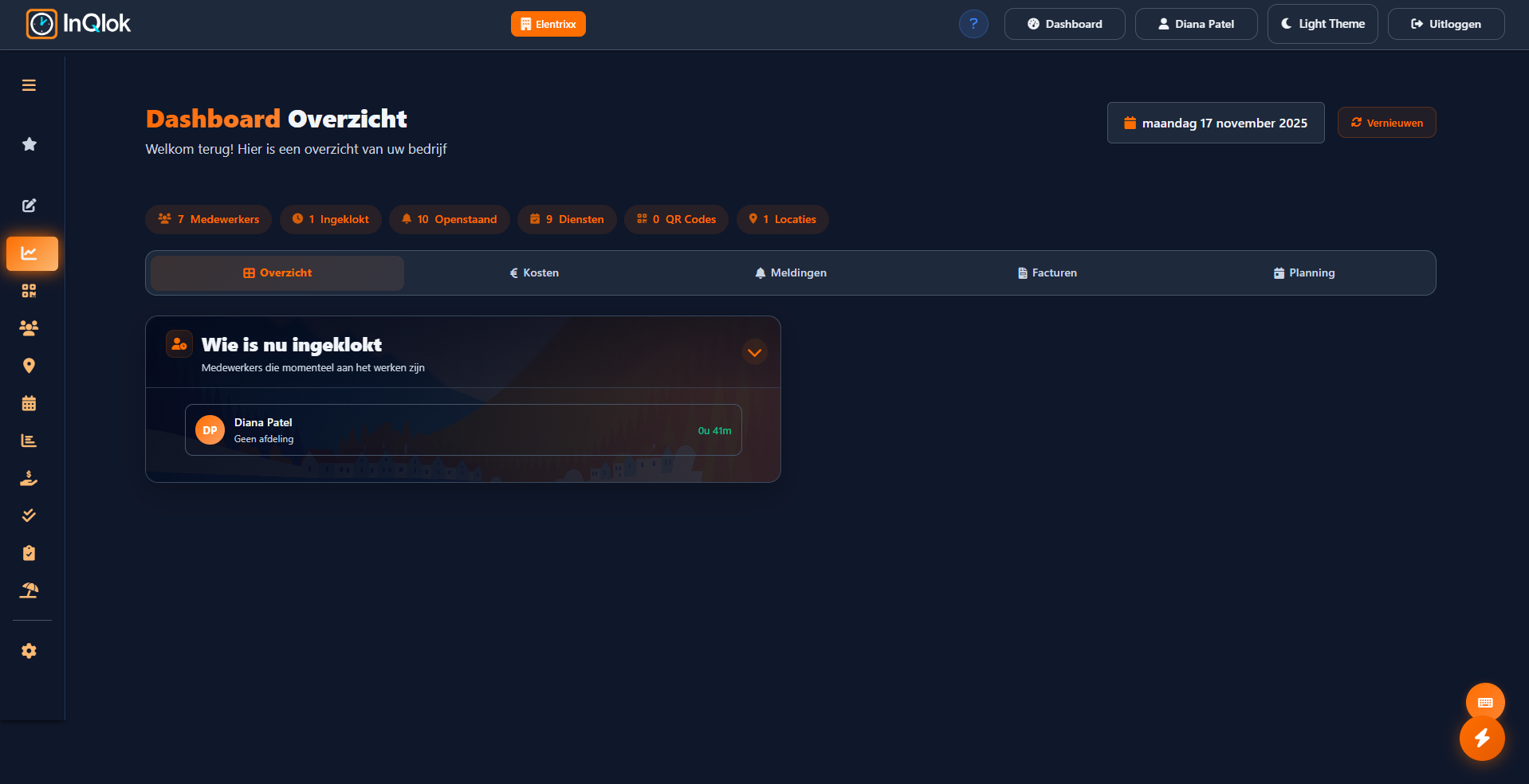
Both the admin panel and the employee app work in light and dark themes.
Built-in manuals
Searchable manuals and a quick-start guide are built right into the product, always within reach.
Missing a feature? We'll build it
InQlok grows with your business. Is there something you could never find in other software, or does your business simply work a little differently? Just ask after your demo — most features go live within two weeks, at no extra cost.
Features on request
You know your own business best. After the demo we discuss which features or changes you're missing and what they need to do in practice.
- Most features go live within two weeks
- No extra cost — it's part of your subscription
- You'll hear up front what's possible and when you'll get it
- Changes to existing features and reports too
Connect your existing software
Send approved hours straight to payroll, without retyping. Employes.nl and Nmbrs are built in as standard; integrations with most other packages we build in consultation. Coming from L1NDA? You bring your existing schedules with you — and with ORBIT4 your reservations show up in the shift planner.
- Employes.nl and Nmbrs — approved monthly totals in one click
- L1NDA — import your existing schedules when you switch
- ORBIT4 — reservations and expected covers in your shift planner
- Different payroll software? We'll build that integration
- Works with any system: export to Excel, CSV and PDF
- Integrations with POS and other systems are possible too
-

 Hours to your payroll system
-

 Hours to your payroll system
-

 Import existing schedules
-
ORBIT4
Reservations in your shift planner
Powered by


Using something else? Tell us in the demo — we build integrations with most payroll packages in consultation.
One price, everything included
€8.50 per employee per month. Your first month is a free demo month and the two months after that cost €7.75 per employee. From 50 employees you get volume discount, down to €6.50 per employee. No add-on modules, no hidden costs, cancel monthly.
Frequently asked questions
How do employees clock in?
Can I create rosters with InQlok?
Does InQlok work for multiple locations?
How much does InQlok cost?
Can I send hours to my payroll administration?
Can I move my existing schedules over from L1NDA?
Can I factor my reservations into the planning?
Can I request a feature that doesn't exist yet?
Want to see how it works for your business?
Request a no-obligation demo. In half an hour we'll show you how InQlok works with your kind of roster, team and tip jar — and you get 30 days to try it for yourself.
- Personal tour of the admin panel and employee app
- 30-day free trial with no credit card required
- Help with the setup of locations, QR codes and your team
- Room for your wishes — features and integrations you're missing we build in consultation
A reply within one business day · No credit card required
Prefer to talk directly?
Call or message us — you always get a real person.
- Phone & WhatsApp+31 6 38 75 55 97
- Emailinfo@inqlok.nl
- AvailabilityMon–Sun, 17:00 – 23:00 CET